ChopSnip
Free short-form video editor for Mac
Everything you know and love from editing software, built simply, for everyday people making short-form video. Auto‑captions on the house. No subscription, no tutorial, no catch.
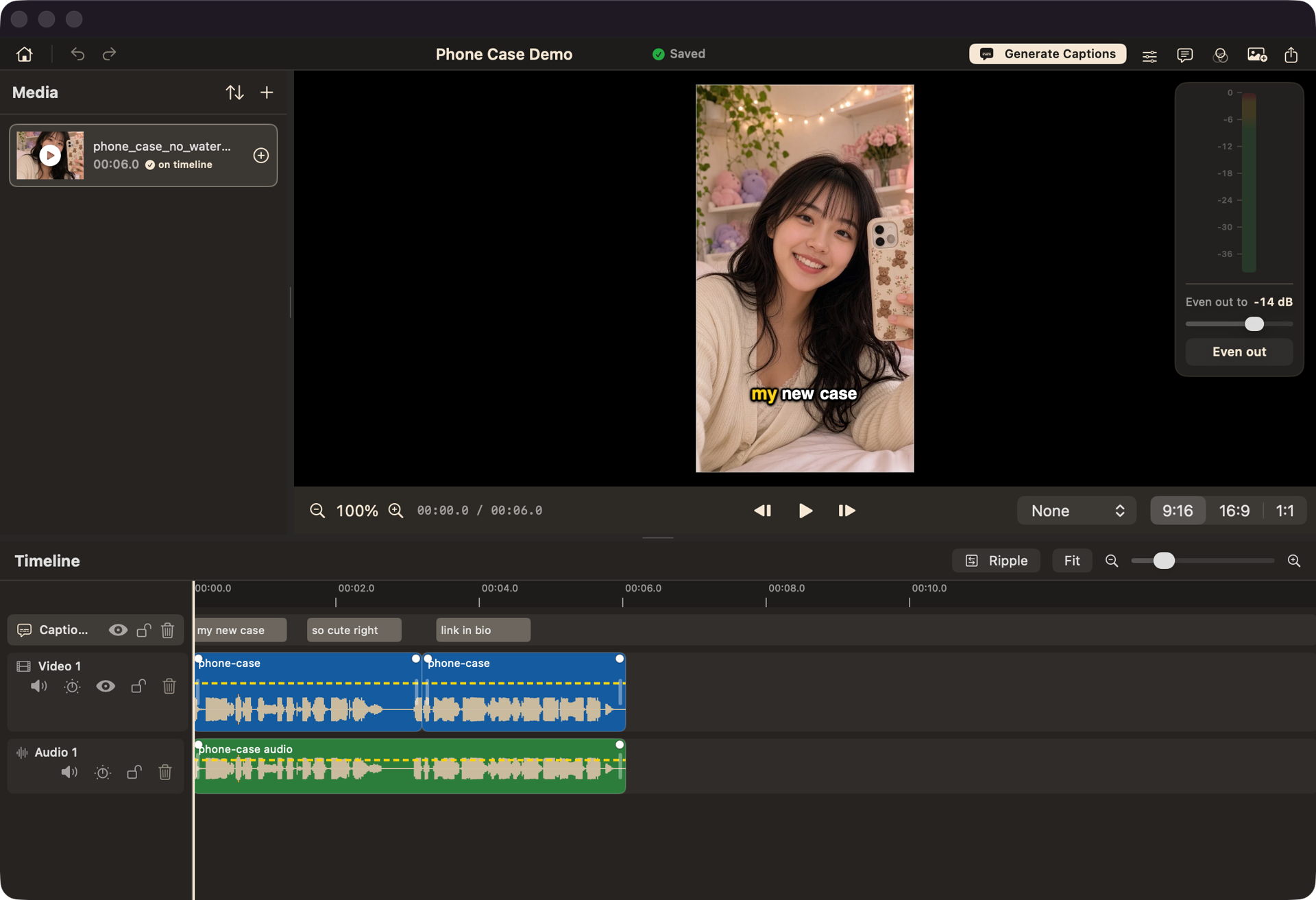
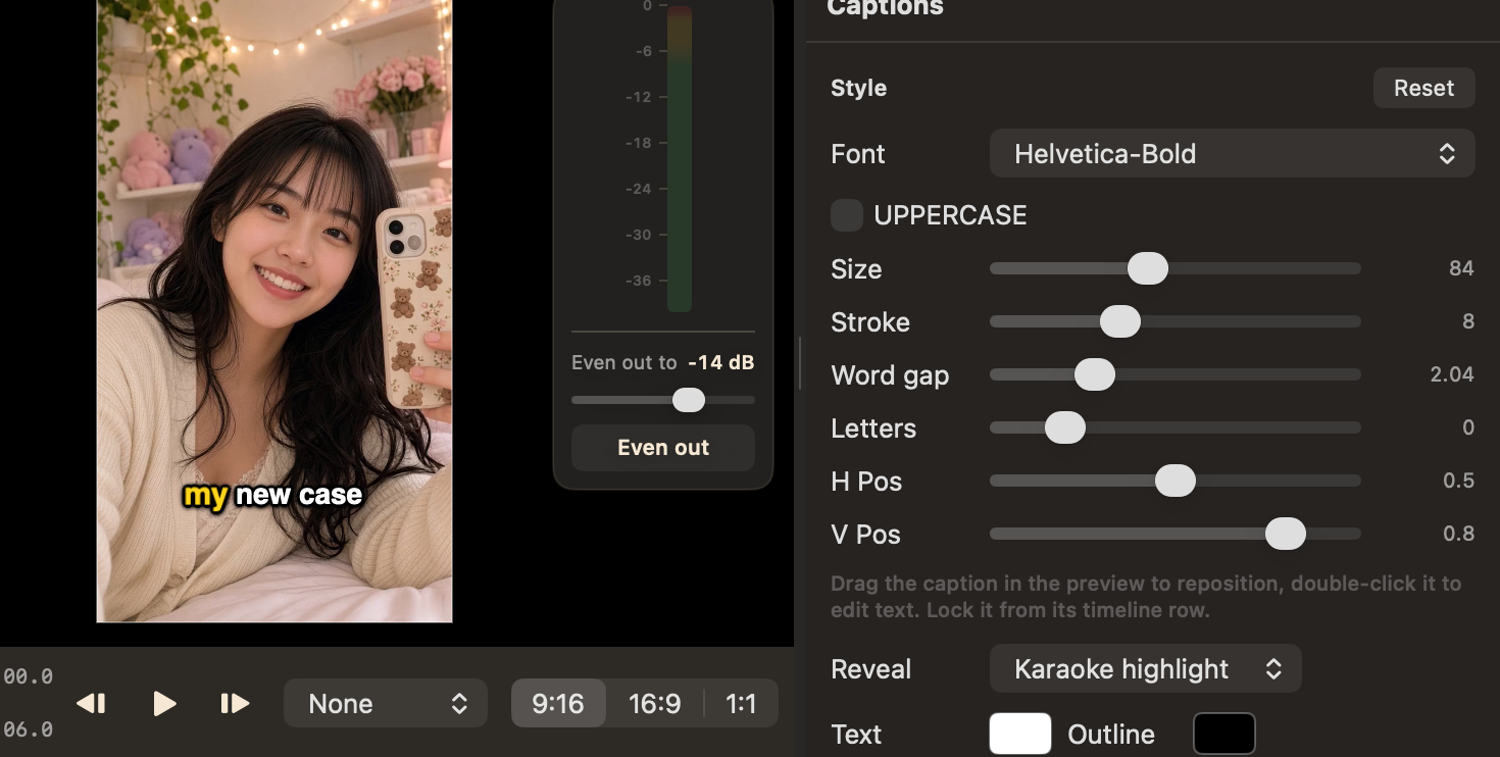
Captions that write themselves.
One click and ChopSnip transcribes your audio right on your Mac, word by word, highlighting each one as it’s spoken. That karaoke bounce people stop scrolling for, built in and ready to restyle.
CapCut charges for auto-captions. ChopSnip doesn’t.
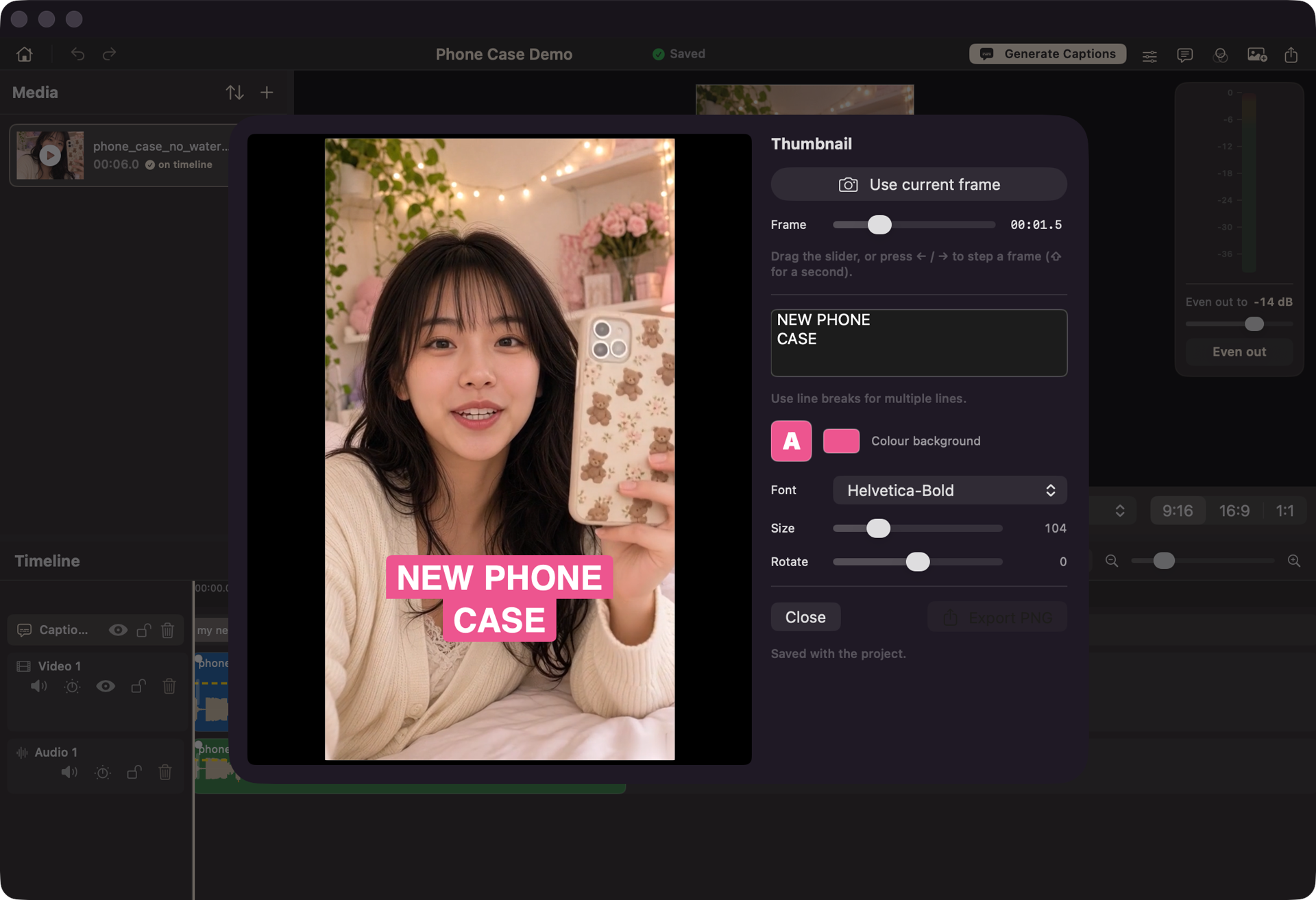
Design the thumbnail without leaving the app.
Grab any frame, drop a bold title on it, pick the font, size and colour, and you’ve got a thumbnail people actually click. No round trip to Photoshop or Canva.
Every clip at the right loudness.
Layer video and audio on their own tracks, then tap Even out. ChopSnip levels every clip to a broadcast-style target, with a live meter to watch, so a quiet voice and a loud clip finally sit at the same volume. No fiddling with gain.

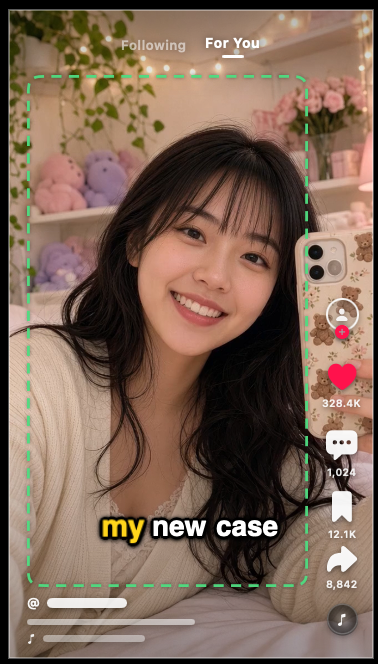
Frame it for the platform.
Switch on a TikTok, Reels or Shorts overlay and see exactly where the app’s buttons and caption bar will land, so nothing important hides behind them. Then export in vertical, square or landscape.
The good parts, without the price of admission.
Short-form editing has gotten either expensive or complicated. ChopSnip is neither.
Captions shouldn’t cost money.
CapCut puts auto-generated captions behind a paywall. ChopSnip’s are free, forever, and run on your own Mac. Your footage never leaves the room.
You shouldn’t need a course.
Final Cut Pro is powerful, and has the hours of tutorials to prove it. ChopSnip is only the parts you actually use for short-form, and nothing you have to study first.
Free. Actually free.
No account. No watermark. No subscription. No “upgrade to Pro” hiding the feature you came for. ChopSnip runs entirely on your Mac, and your footage never leaves it.

Cut, caption, post.
ChopSnip is free for macOS 14 and up on Apple Silicon. Download it, drop in a clip, and you’re editing in a minute.
a small app from Hesychia Studios. say hello at hello@hesychia.studio.